❮
![zoom]() ❯
❯
Setting your delivery charges is essential for managing your business and orders.
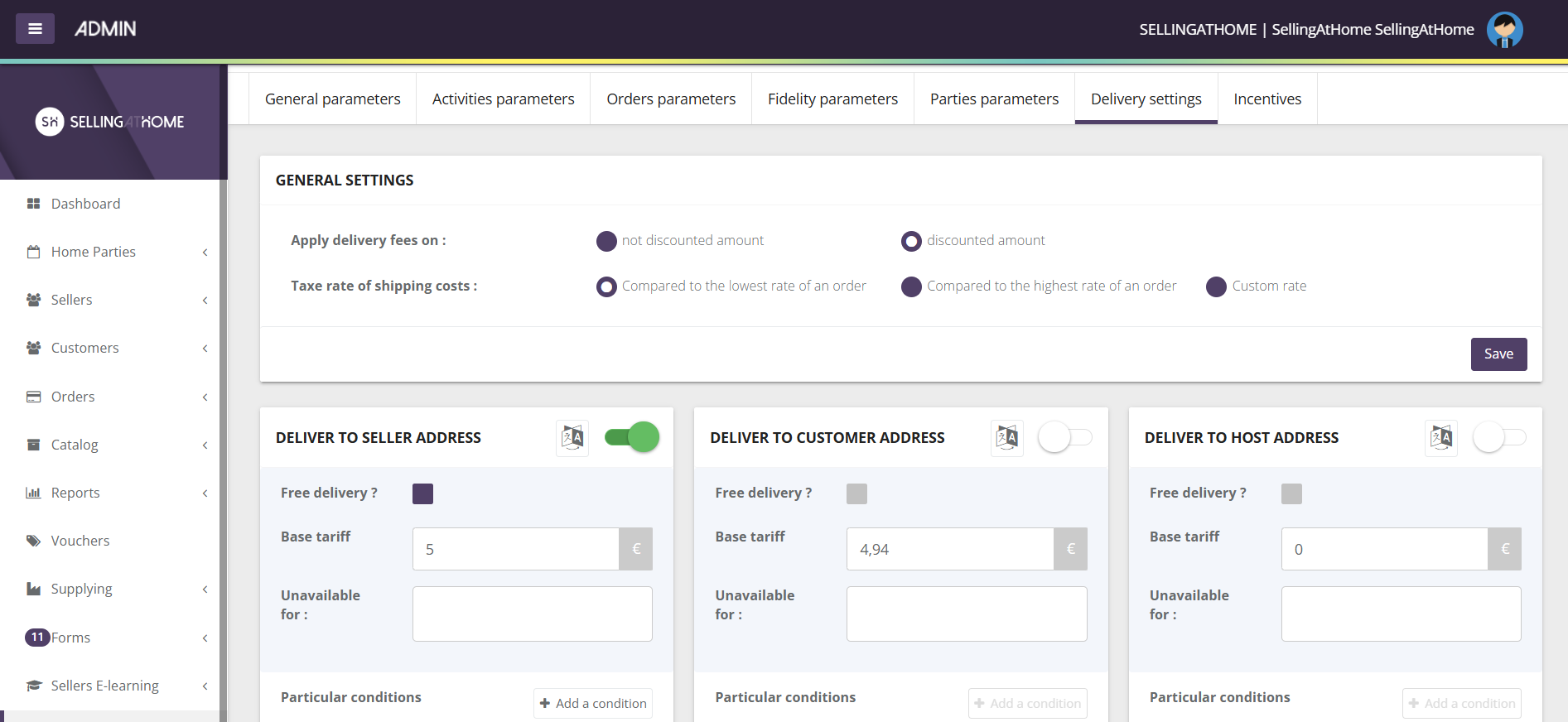
First, define your general configuration :
Choose on which amount you wish to apply shipping costs: discounted or non-discounted
Define the vat rate to be applied to shipping costs
Then various types of delivery can be set:
Delivery to seller
Delivery to customer
Delivery to host
Pick-up on site
Customized address
Mondial Relay (activation cost to be provided)
DPD Relay (activation cost to be expected)
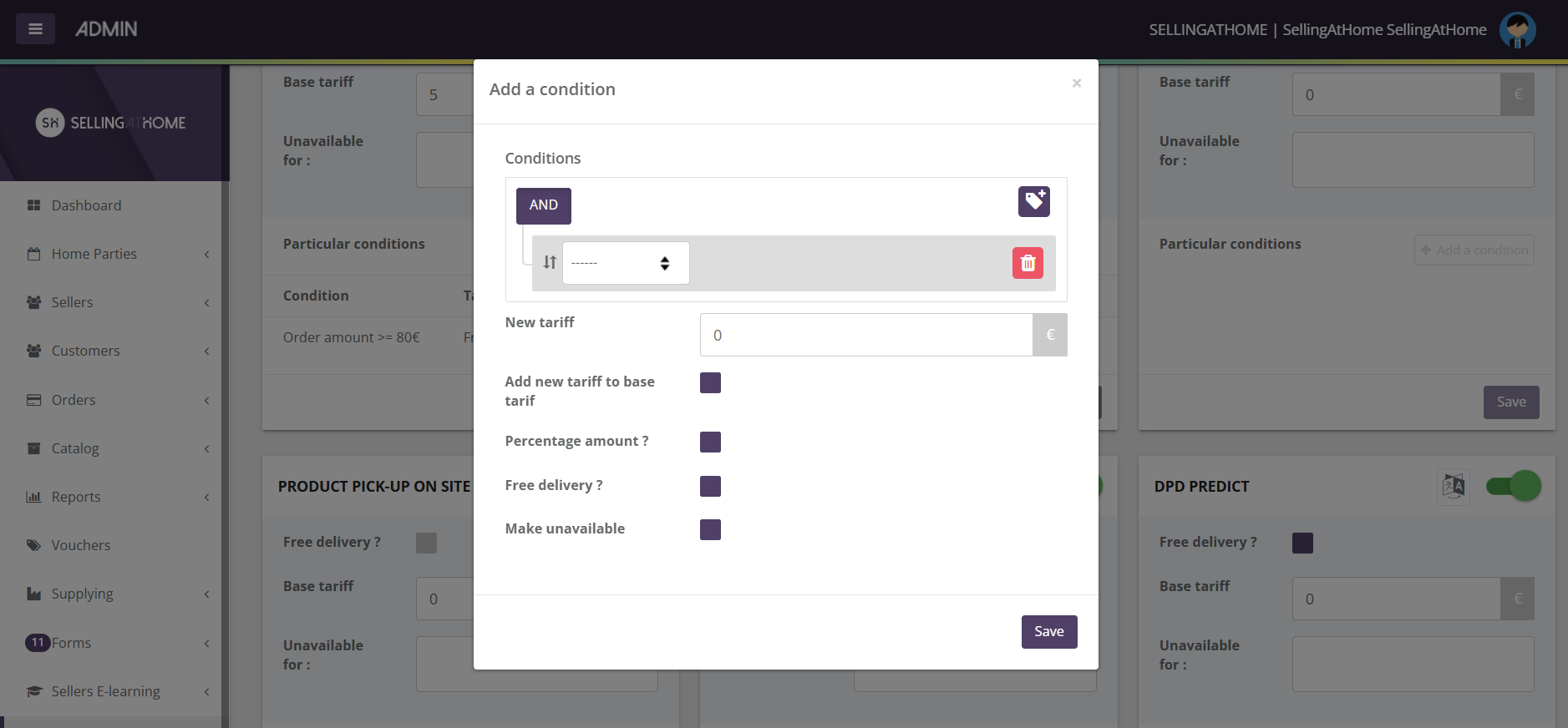
You must then define a prime rate in €. You can also add new delivery rates based on certain conditions.
Certain delivery methods can be made unavailable depending on the type of sale: meeting sales or direct sales.
For example, you can easily define that "delivery to the seller's premises is unavailable for direct sales".
Several conditions are also available:
Order amount (incl. VAT)
Order amount excl. tax
Commissionable amount incl. VAT
Sales turnover for current month
Last month's sales
Current month's customer sales
Last month's customer sales
Number of products in order
The order contains this product
New customer / seller
Customer role
Type of order (meeting or direct sale)
Delivery country
These conditions can help you :
Determine a new price list
Offer delivery
To make delivery unavailable
To set up a calculation in % of the order amount
Once you've made your settings, don't forget to click Save!

